Telemedicine & Virtual Care Appointments
Quality, Compassionate, Personalized Primary Care from the comfort & convenience of your home or wherever you are

Personalized care
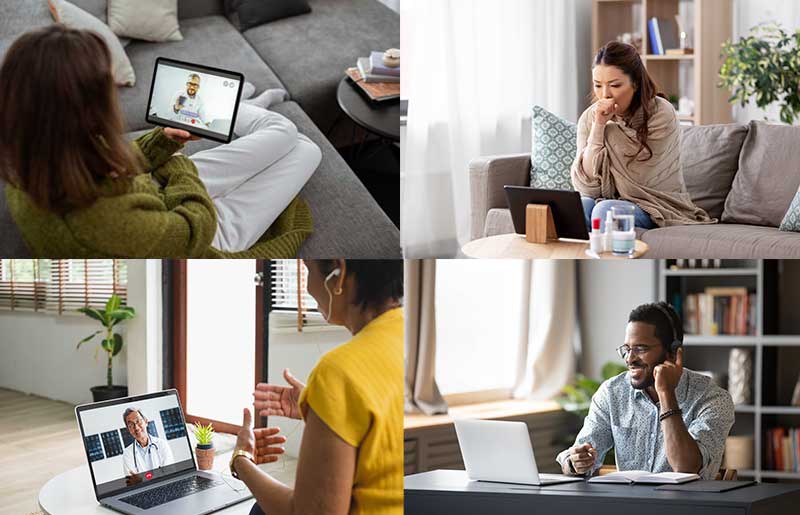
We’re committed to offering you and your family the best in telemedicine doctor visits. They are so easy and convenient – you may never view healthcare the same way again. Telemedicine can offer advantages such as allowing you to share information from the comfort of your home environment as well as reducing potential exposure to other people’s germs.
Convenient care
With telemedicine, you don’t have to drive to the doctor’s office, park, walk, or sit in a waiting room when you’re sick. Plus, virtual visits can be easier to fit into your busy schedule. With telemedicine, depending on your schedule, you may not even have to take time off from work or arrange for child care.

Private and secure care
Improved technology has made telemedicine safer and easier, even for those who don’t consider themselves computer savvy. Patients can use telemedicine through the myTuftsMed online platform or mobile app.
myTuftsMed Portal Telemedicine Appointment

myTuftsMed portal telemedicine appointments can be done from your smartphone or computer that has a camera. Please note, you must be present in the Commonwealth of Massachusetts to receive care.
To schedule:
Simply sign into your myTuftsMed portal and follow directions. If you do not see your provider or have not signed up for the patient portal, please call us at 978-955-9500 so one of our friendly staff members can help.
How will I be billed?
These visits will be billed to your insurance company accordingly. Please be sure to verify your coverage with your insurance company if you have any concerns about your benefits. Please note, you should have a credit card available to pay your co-pay.
To Check-in:
Simply sign into your myTuftsMed portal and follow directions. If you are having problems, please call us at 978-955-9500 so one of our friendly staff members can help.
Please sign in 10 mins prior to you video call to ensure all forms and technical testing have been completed.
- If you already have an activation code, go to the Activation page to create a myTuftsMed username and password to log in to myTuftsMed.
- Alternatively, you can request access on the Signup page. ‘Verify Identity with a Third Party’ will allow you to create an account immediately. The ‘Match Yourself with Our Records’ option submits a request to our patient experience helpdesk. You will receive an activation code by email within 2-3 business days. Please note that it may come to a junk or spam folder.
- Desktop, laptop PC, Mac, or mobile device with the My Tufts Medicine app
- Web camera (external or integrated)
- Microphone (usually part of the web camera)
- High-speed internet connection
- Microsoft Edge
- Mozilla Firefox 56 and above (Download here)
- Apple Safari 11 and above
- Google Chrome 62 and above (Download here)
Doxy.me Telemedicine Appointment

Doxy Visits are just like telemedicine appointments. If you are not signed up for our patient portal via myTuftsMed, this is another way you can have a telemedicine visit. Our friendly staff will schedule this type of appointment for you.
To schedule:
Please call the office at 978-955-9500 to schedule a telemedicine appointment using Doxy.me.
How will I be billed?
These visits will be billed to your insurance company accordingly. Please be sure to verify your coverage with your insurance company if you have any concerns about your benefits. Please note, you should have a credit card available to pay your co-pay.
To Check-in:
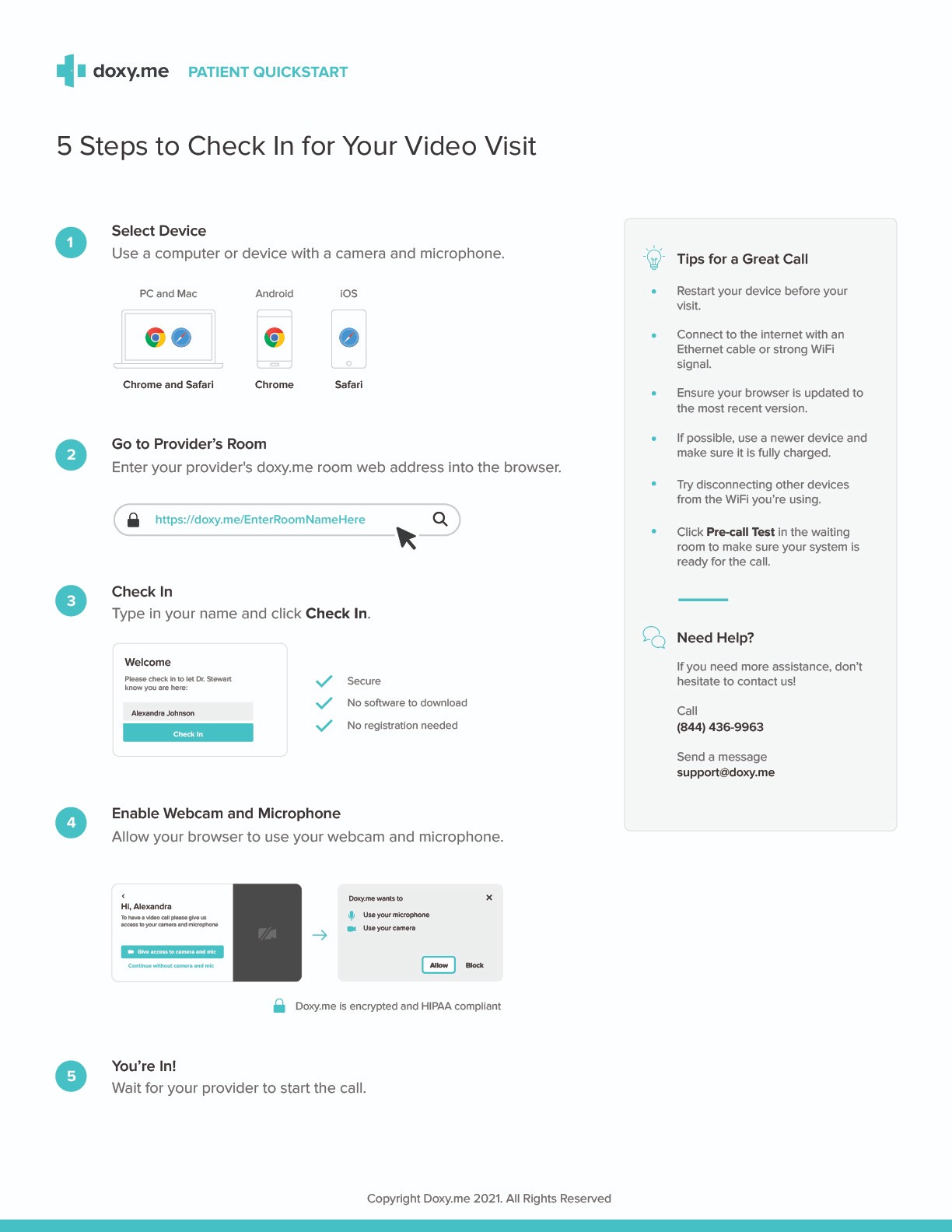
Start by clicking on your appointment provider’s name below. This link will bring you into the providers virtual waiting room. Please enter your name when prompted and wait for the provider to log in. If you need help, click here: 5 Steps to Check-In for Your Video Visit
Please sign in 10 mins prior to you video call to ensure all forms and technical testing have been completed.
Start our appointment by clicking your provider’s name:
Doxy.me Technical Requirements
- No software or app downloads.
- No need to create an account.
- Just use a browser on a computer or device with a camera and microphone.
Hardware: Desktop, laptop PC, Mac computers as well as Apple and Android mobile devices (phones, ipads, tablets)
Doxy.me works best with:
- Google Chrome (Watch video: Patient Check-in – Chrome (youtube.com))
- Mozilla Firefox (Watch Video: Patient Check-in – Firefox (youtube.com))
- Apple Safari (EWatch Video: Patient Check-in – Safari (youtube.com))
Frequently asked questions
What is the difference between Telemedicine and Telehealth?
Telemedicine refers to remote clinical healthcare services delivered through video/phone technology. It enables healthcare providers to diagnose, treat, and manage patients’ health conditions from a distance, bridging the gap between patients and providers.
Telehealth encompasses a broader range of remote healthcare services, including clinical and non-clinical activities like remote patient monitoring, health education, administrative meetings, and training of healthcare professionals.
Does my insurance cover telemedicine visits?
Most insurance companies and state regulations have expanded the use of telemedicine video and audio visits due to the current national health situation. Reach out to your insurance provider for specifics about your plan.
Do I need to sign-up for an account for a visit?
If you are having problems connecting to your appointment, please call our main office number at (978) 955-9500 press 0, and one of our friendly staff will help you.
Do I need to sign-up for an account for a DOXY visit?
No, as a patient you actually don’t need to create an account with us to see your provider. You can simply go to your providers url (doxy.me/YourDrsName). You will check in and your provider will start the call when they are ready.
Is this secure?
All data is encrypted, patient sessions are anonymous (we don’t know who you are). We use the AES cipher with 128-bit keys to encrypt audio/video, and HMAC-SHA1 to verify data integrity.
What if I can’t connect?
If you are having problems connecting to your appointment, please call our main office number at (978) 955-9500 press 0, and one of our friendly staff will help you.
Any tips to make my telemedicine appointment go smoothly?
Please make sure you are in a quiet, private place with access to a good internet connection. It is also helpful to have good lighting so that your provider can clearly see you.